
4 Steps to Remove Facebook Game Invites
4 steps to remove Facebook game invites. Bye slitherio alerts!

(For Smartphone/Tablets instructions)
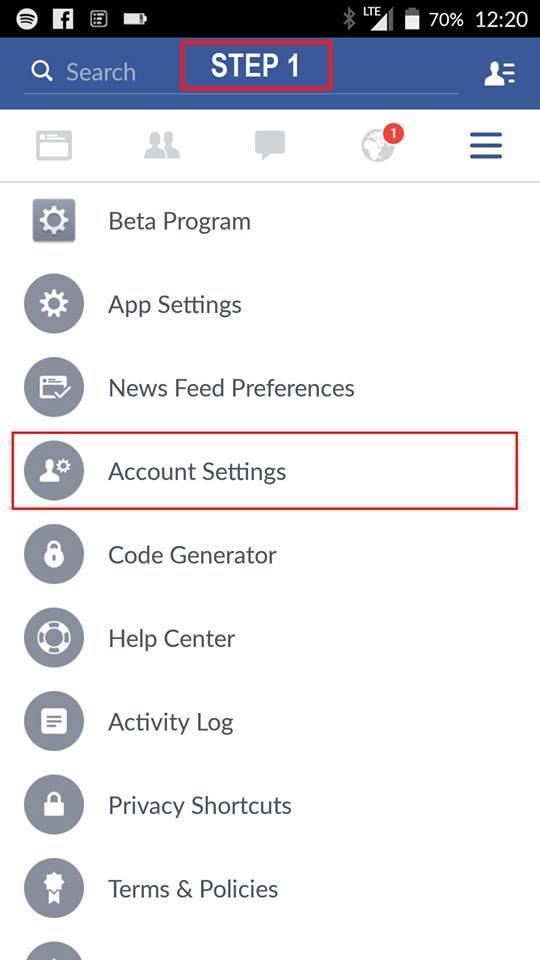
1. Account Settings
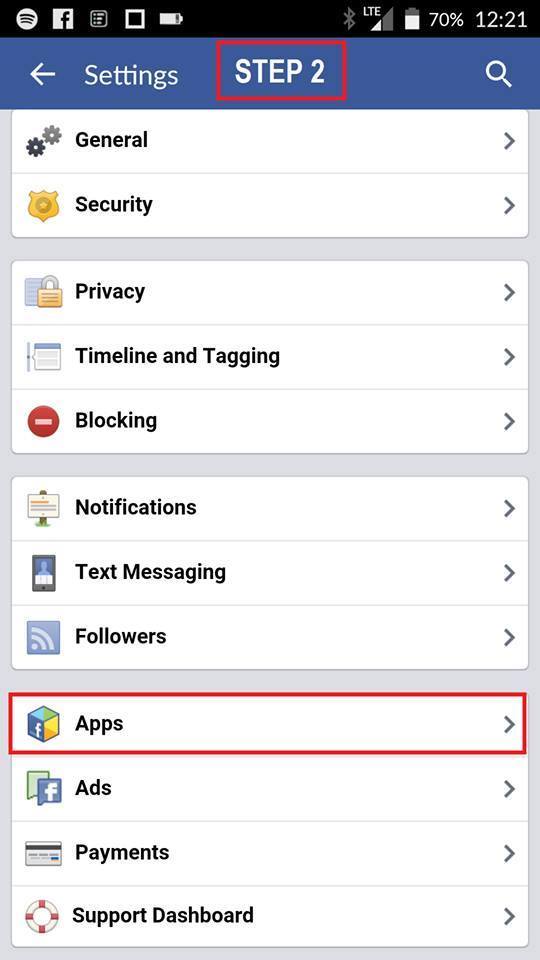
2. Navigate to Apps
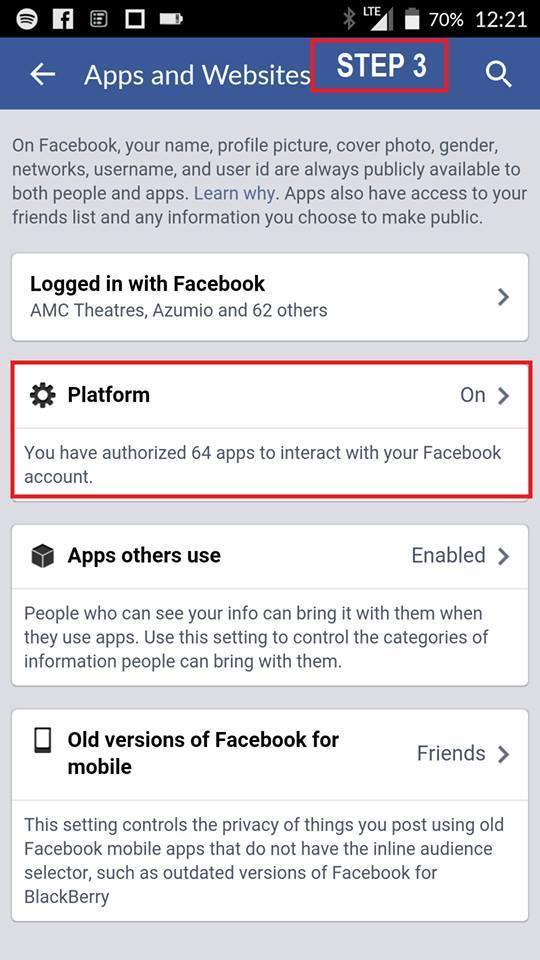
3. Navigate to Platform
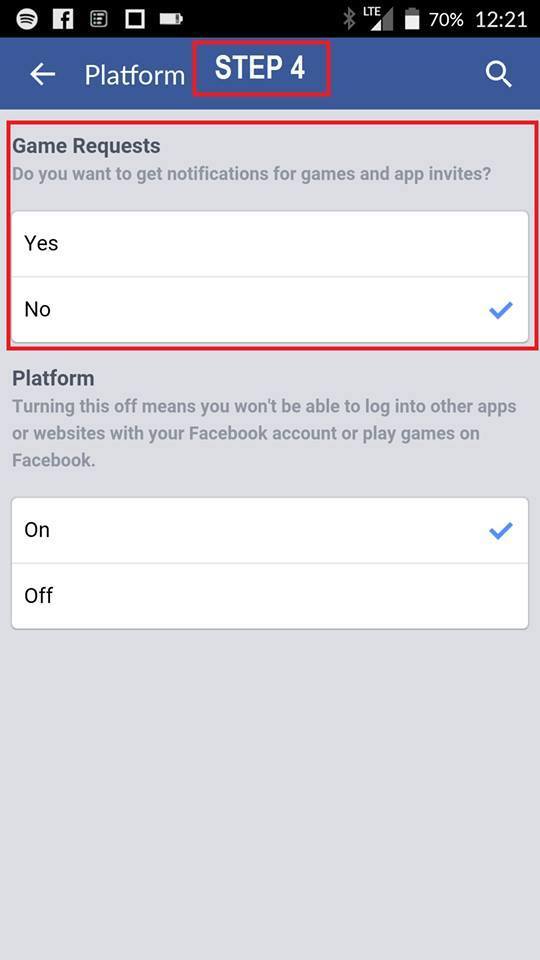
4. Select “No” under game requests.
That’s it!!!
One Stop IT Support
Facebook: https://www.facebook.com/1StopITSupport
Instagram: https://instagram.com/onestop.itsupport/
Google+: https://plus.google.com/